Desktop Pets for Mac: A Complete Guide (2026)
Desktop pets are back. Here is what they are, why they help with focus, and every option for macOS in 2026, from Bonzi Buddy nostalgia to AI-generated pixel pets.


Dockling is the best desktop pet for Mac in 2026. Generates a personal pixel pet from your photo, lives in the dock, menu bar, or notch, walks while you focus, sleeps on your break. $2.99 once, no subscription. For nostalgia, Shimeji-ee is the only credible free option. Make your pet →
Desktop pets are having a moment again. Twenty years after Bonzi Buddy was uninstalled by every IT department in America (see the honest BonziBuddy for Mac answer), the idea is back. Except this time it's pixel art, it lives in your menu bar, and it's designed to help you focus instead of selling you a CD-ROM full of toolbars.
We've tested every option that runs on macOS in 2026. This is the complete guide: what desktop pets are, why they're back, which ones are worth installing, and how to pick the right one for your machine.
What is a desktop pet?
A desktop pet is a small animated character that lives on your screen and reacts to your activity. The modern version walks across your dock, sleeps when you take a break, and reacts to events like notifications or focus sessions ending. It's the spiritual descendant of 1990s software mascots like Bonzi Buddy, the Office Assistant, and the original Japanese Shimeji, redesigned for the attention-economy era.
The difference between a 1990s pet and a 2020s pet is the same as the difference between a pop-up ad and a Live Activity: the old version demanded attention; the new version is ambient. You glance at it, you smile, you go back to work.

Why desktop pets are back in 2026
Three trends collided to bring them back:
- Pixel art nostalgia is durable. The aesthetic survived the “flat design” era and won. Stardew Valley, Vampire Survivors, every indie game on Steam. Pixels are a visual language Gen-Z grew up with as their retro, the way millennials feel about polaroids.
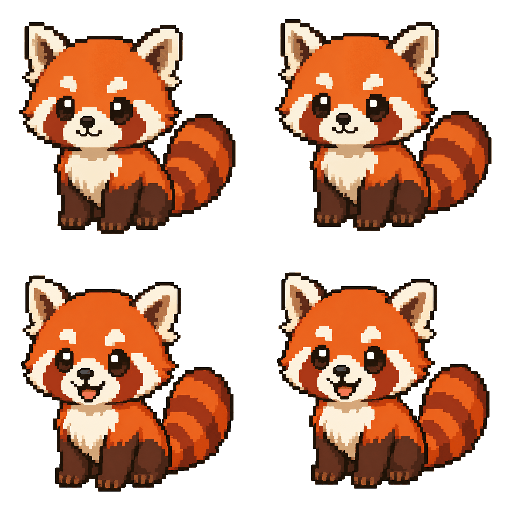
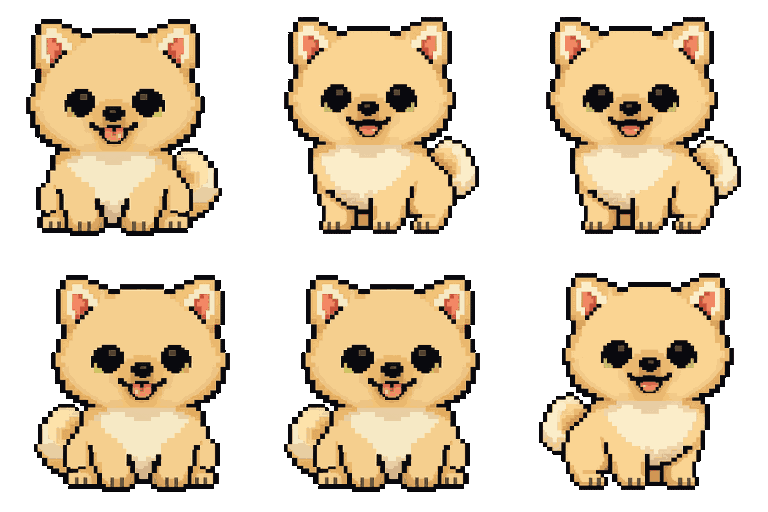
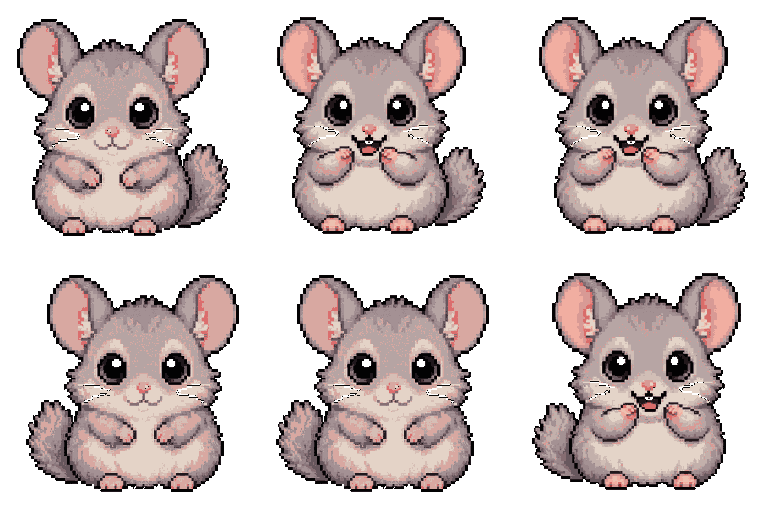
- Generative AI made them personal. Until 2024, shipping a desktop pet meant hiring a pixel artist and shipping five characters. Now you can generate a pet from any photo in 30 seconds (see our Pet From Photo AI guide). The “your own face on a sprite” reveal is the entire pitch.
- The MacBook Pro notch needs something. Apple put a black bar in the middle of every modern Mac and gave developers no built-in use for it. A pixel pet fits perfectly inside the notch. We didn't plan it. Apple did, accidentally.
The best desktop pets for Mac (2026)
1. Dockling: the modern pick
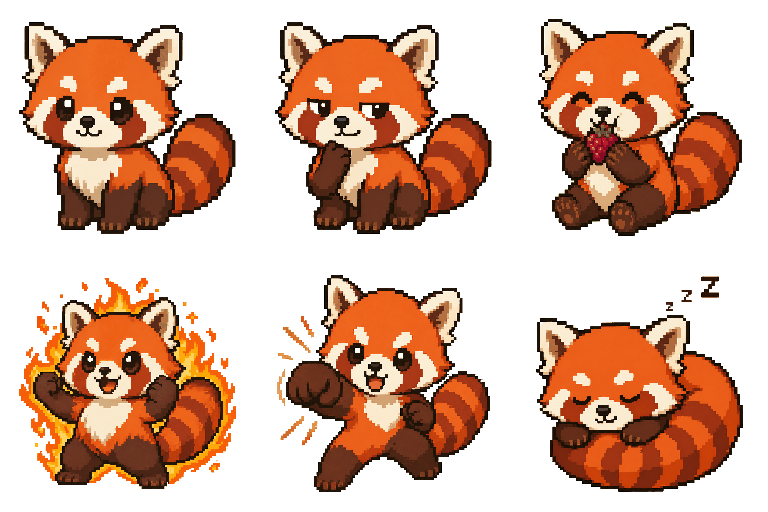
Dockling is what desktop pets look like when you start from a clean slate in 2026. Three things make it different from the legacy options:
- It's your pet. Upload a photo of your dog, your cat, your face, your friend. Gemini generates up to 9 pixel animation scenes (idle, walk, sleep, eat, shower, fly, punch, success, smug) in under two minutes. No two installs are alike.
- It's tied to focus. The pet reacts to your Pomodoro state. It wakes up and walks during focus blocks, curls up to sleep on breaks. The pet is the timer's status indicator.
- It uses native macOS surfaces. Dock, menu bar, or inside the MacBook Pro notch. No floating windows that cover other apps.
One-time $2.99. Get Dockling →
2. Shimeji-ee: the nostalgia pick (free)
Shimeji-ee is the open-source Java port of the original Japanese Shimeji desktop mascot software. The pets walk along your window edges, climb desktops, and occasionally throw themselves off the screen.
What makes it lovable: it's the closest you can get to the original 2007 Shimeji vibe. What to know: it requires Java, the UX hasn't been touched in years, and on Apple Silicon you may need Rosetta or to install a Java runtime manually. It's a hobbyist project, treat it like one.
3. Desktop Goose for Mac (free, donationware)
A goose. It walks around your desktop. It steals your cursor. It drops things on your screen. It's the chaotic-evil opposite of a focus tool, and it's very funny for about 11 minutes before you uninstall it. Worth installing once for the joke.
4. Eboshidori (free, Japanese only)
A small bird that perches on your menu bar. The interface is Japanese-only and there is no English documentation, but the pet itself is delightful. For diehards. For the broader classic desktop pet lineage, see the cat-on-screen field guide.
5. Tamagotchi browser apps
There are several browser-based Tamagotchi clones (Webamajig, HabitGotchi, etc) that you can pin as a Safari Web App. They work, but they're not really desktop pets. They're browser tabs in a frame. Skip unless you specifically want a Tamagotchi tied to a habit tracker.
Do desktop pets actually help with focus?
Surprisingly, yes. For a specific reason. The mechanism is visible state with low cognitive cost. A timer ticking down is information, but you have to look at it and parse numbers. A pet curled up asleep is information, but it's parsed instantly by the visual system. You glance, you understand, you keep working.
The other half is the social-contract effect. Tamagotchis worked in the 1990s for the same reason a 32×32 pixel pet works in 2026: a tiny digital creature that depends on you creates a sense of obligation that's out of all proportion to the actual stakes. Closing your laptop with the pet asleep mid-cycle feels rude. So you finish the cycle.
The lineage of the modern desktop pet runs from The Office Assistant (1996) → Bonzi Buddy (1999) → Tamagotchi (1996, mobile) → Shimeji (2007) → Desktop Goose (2020) → Dockling (2025). Each generation removed something the previous one got wrong: voice (Office Assistant), spyware (Bonzi), screen-real-estate hostility (Shimeji), pure chaos (Goose). What survives is ambient, opt-in, focus-positive.
How to pick the right desktop pet
Three questions:
1. Do you want it to do something or just exist?
If you want decoration, Shimeji or Desktop Goose are fine. If you want the pet to support a habit (focus, hydration, breaks), pick something tied to a real timer or tracker. Dockling is the only one we'd recommend here.
2. Do you want a generic pet or a personal one?
Generic pets ship with 5-10 characters everyone shares. A personal pet is generated from your photo and exists nowhere else. The emotional difference is bigger than it sounds. People get attached to a pet that looks like their actual cat in a way they never get attached to a stock sprite.
3. Where do you want it to live?
Floating-window pets (Shimeji, Goose) take screen real estate. Native pets (Dockling) live in the dock, menu bar, or notch and stay out of your way. If you're on a 13" laptop, native is the only realistic option.
How to make your own desktop pet (Dockling)
If you've decided on Dockling, the process is short:
- Visit dockling.space and upload any photo: your face, your dog, your cat, your childhood teddy bear. Anything works.
- The website generates a free preview frame in about 30 seconds so you can see the style before you pay.
- If you like it, $2.99 unlocks the full animation pack and the app.
- Drop the .zip into Dockling's Characters folder (or use the in-app import). Your pet appears immediately.
The whole flow lives on the web because generating sprites server-side keeps the desktop app under 30MB and means you can try a preview before installing anything. For the full overview, see the Mac pet landing page. Try the generator →
FAQ
Are desktop pets safe to install?
From a reputable developer, yes. From a forum download, no. The 1990s reputation of desktop pets is mostly Bonzi Buddy's fault. It shipped spyware. Modern Mac apps go through Apple notarization and Gatekeeper, which catches malware before install. Stick to notarized apps. Dockling is signed and notarized by Apple under Developer ID Application: Sadi Saydam.
Will a desktop pet slow my Mac down?
No. A 32×32 sprite at 8 fps is functionally free: single-digit milliwatts, well under 1% CPU. You will not see it in Activity Monitor.
Can I have multiple desktop pets at once?
In Dockling, yes. You can install many packs and switch between them, but only one is active at a time. Shimeji lets you spawn multiple instances, which is funny for about an hour and useless after that.
Does Dockling work on Intel Macs?
Not right now. Dockling is built for Apple Silicon Macs and supports macOS 13 (Ventura) and later.
Can I make a desktop pet without AI?
Yes, Dockling supports importing your own pack from a .zip if you'd rather pixel-art a pet by hand. See the import guide →
Get a pixel pet that lives in your dock.
Pomodoro timer, focus streaks, and a tiny friend generated from your photo. Native macOS, $2.99 one-time.