A PIXEL PET FOR YOUR MAC

Your face.
Your pet.
On your dock.

Dockling turns any photo (yours, your dog's, your kid's) into a tiny pixel companion that walks across your dock, sleeps in your notch, keeps you focused with a built-in Pomodoro, and remembers anything you tell it. Always one glance away.

MACOS 13+  ·  APPLE SILICON  ·  ONE-TIME
Pet on dock
WHY A DOCKLING

A small thing that makes the screen feel like home.

People love desktop pets for the same reason they love a window plant or a desk toy. Something living, in the corner of your eye, that doesn't demand anything. Here's what makes Dockling worth the space.

QUIET COMPANY
Solo work feels less solo.
Working from home, headphones on, hour six. A tiny friend strolling across your screen makes the room feel less empty. Not noisy, not needy — just there.
NEVER IN THE WAY
Lives on the edges, not the work.
Menu bar, dock, notch. Dockling stays on the trim of your screen — never over your code, never over your video call. No popups, no notifications you didn't ask for.
GENTLE NUDGE
A reason to come back to focus.
Your pet wakes up when you start the timer and curls up to sleep on your break. Tiny rituals that turn a Pomodoro into something you actually want to start.
YOUR LOVED ONES, AS PIXELS

Upload any photo. Get a pet that looks like them.

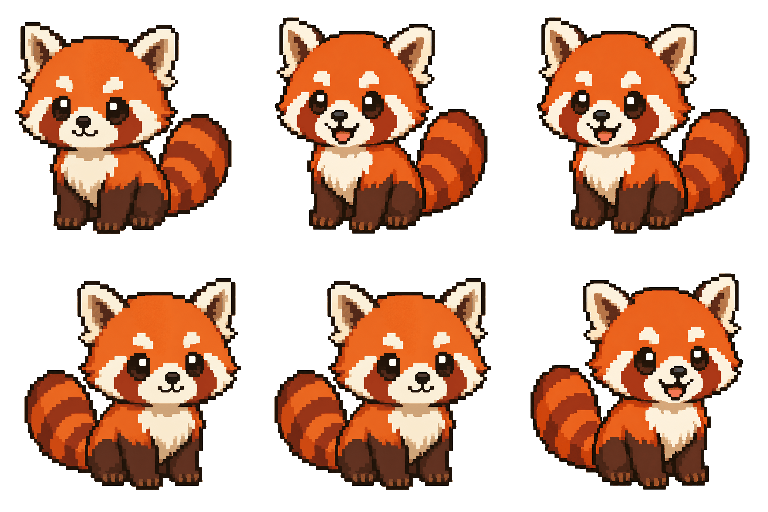
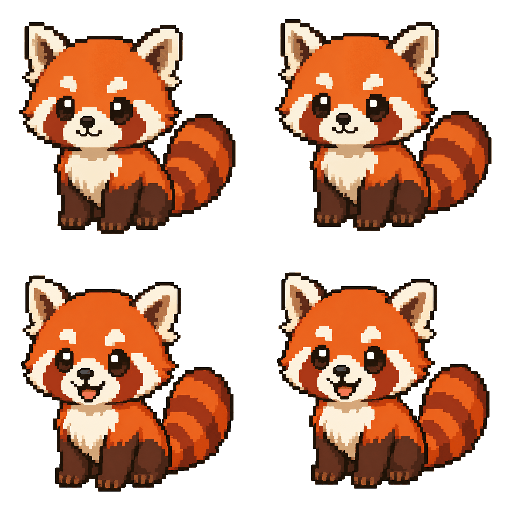
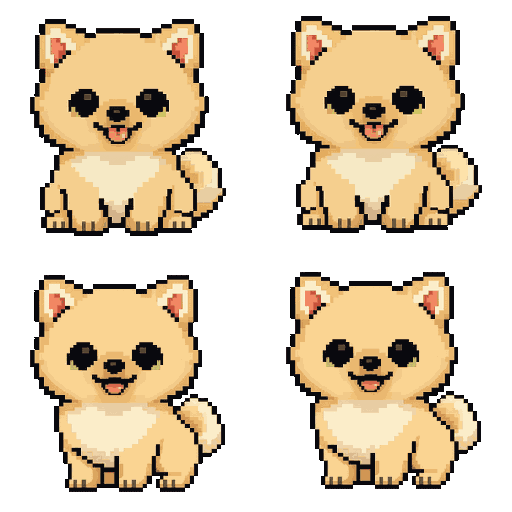
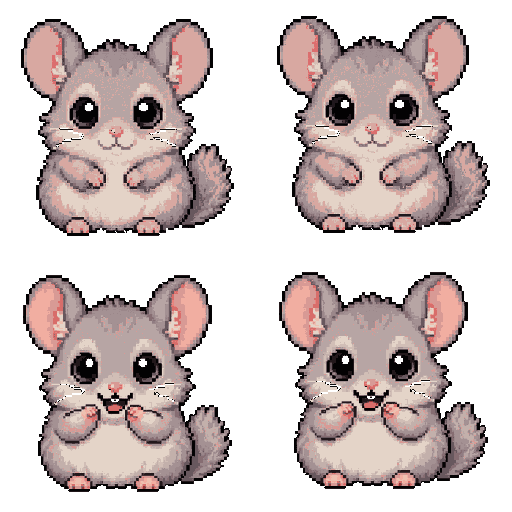
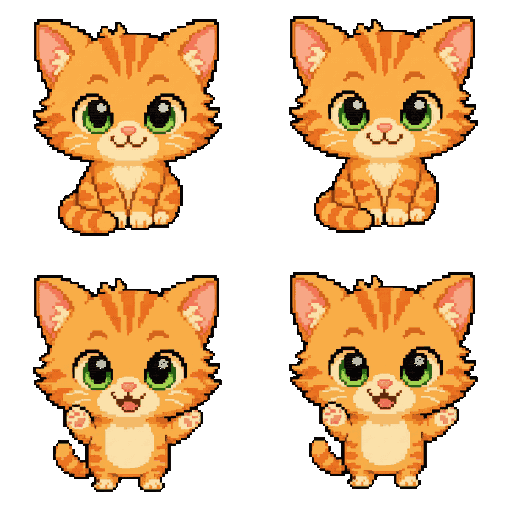
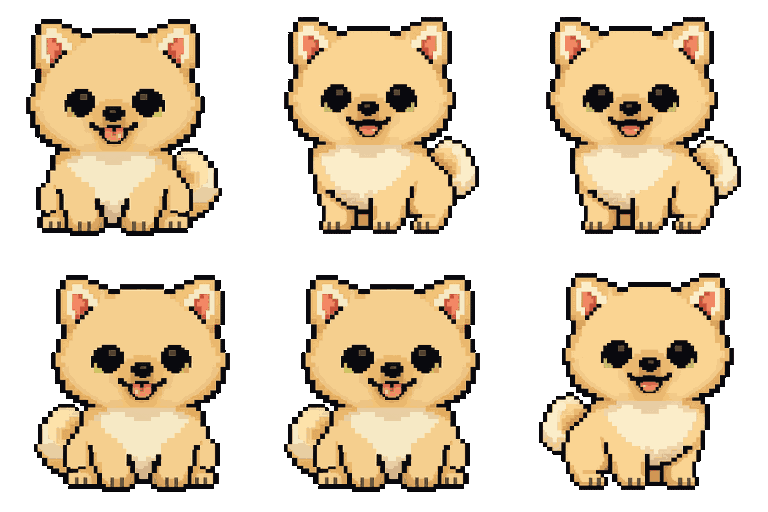
Your face. Your partner. Your dog. Your grandma. Dockling renders nine unique pixel-art frames (idle, happy, focused, sleeping), so the friend on your dock is one nobody else has. Every example below was generated from a real photo.

01
Upload a photo
Selfie, family portrait, your dog at the beach. Anything goes.
02
9 pixel-art frames render
Idle, happy, smug, eat, shower, success, fly, sleep. A full personality, not just a single sprite.
03
Lives wherever you put it
Drag to dock, menu bar, notch, or let it free-roam your desktop.
EXAMPLES, ALL FROM REAL PHOTOS
Make My Pet for $2.99Three custom pets included with the app.
THREE WAYS IN

Pick how you want your pet.

Make one from a photo, buy a hand-crafted pack, or wire up your own AI keys. Whatever fits.

PLACEMENT

Pin it where it makes sense for you.

Drag your pet to the top of the screen and it snaps to the menu bar or notch. Drag it to the bottom and it walks the dock. Visible across every Space, even over fullscreen apps.

MENU BAR

Walks across your menu bar.

A live MM:SS Pomodoro on the right. Your pet strolls between system icons. Tap to open the timer popover.

FinderFileEdit
Pet walking the menu bar
🍅 24:32100%10:21 PM
NOTCH

Sits beside the camera.

For MacBook Pro 14" / 16". Your pet fills the notch's drawable area.

Pet sitting in the notch
FREE ROAM

Wanders your desktop.

Walks the bottom of the screen. Sniffs your icons. Sleeps when you're away.

Pet free-roaming
DOCK

Walks across the top of your dock.

Feet planted on the dock pill. Visible over fullscreen apps. The friendliest reminder you're still on the clock.

Pet on dock
FOCUS TIMER

Pomodoro that walks alongside you.

Your pet wakes up and walks during focus, curls up to sleep on your break. Configurable phases, long-break cadence, native macOS notifications, and a streak that survives until midnight.

  • Custom focus / short break / long break durations
  • Long break every Nth focus session (default 4)
  • Auto-start break after focus, optional auto-resume focus
  • Session log: last 500 focus sessions, exportable
  • Live MM:SS countdown in your menu bar
FOCUS24:32
7
today
12
streak
2h 55m
focused
ACTIVITY · LAST 5 WEEKS
Pet walkingFocusing, see you in 24m.
What should I remember?
Type a quick note below.
Email Wiead about the Q3 deck
RECENT NOTES
  • Today · 2:14 PMEmail Wiead about the Q3 deck
  • Today · 11:02 AMTry the new espresso place on Newbury
  • YesterdayRefactor the auth middleware before Friday
  • YesterdayMom's birthday gift — order by Wednesday
QUICK NOTES

A second brain that lives in your dock.

Click your pet, type the thing you don't want to forget, hit Save. No app to open, no folder to find — your pet is already there, waiting. Notes stay local, searchable, and yours.

  • One-click capture: click pet, type, save
  • Floating bubble follows your pet anywhere on screen
  • Searchable list of everything you've ever saved
  • Stored as plain JSON in your Application Support folder
  • Pet reacts when you save — tiny dopamine hit, on purpose
FEATURES

A native Mac app, not a glorified browser tab.

Single binary. AppKit + Cocoa. No Electron, no telemetry, no background daemon phoning home. Just pixel art and a friend that respects your focus.

01
Generate from any photo
Selfie, family portrait, your dog. Dockling renders 9 unique pixel-art frames in about 30 seconds.
02
Lives where you work
Pin to dock, menu bar, notch, or free-roam. Drag-snap between zones, your pet finds its place.
03
Pomodoro that breathes
Walks during focus, sleeps on breaks. Configurable durations, long-break cadence, native notifications.
04
Streaks & heatmap
Daily counter, consecutive-day streak, 5-week heatmap. Plus a session log of your last 500 focus sessions.
05
Visible everywhere
Stays on top of fullscreen apps, follows you across all Spaces. Always one glance away, never buried.
06
Truly local
All data stays on your Mac. No account, no cloud sync, no analytics. Just you and your pet.
PRICING

One-time. Yours forever.

No subscription. No accounts. Buy once, every future update is free.

DOCKLING
Personal license · macOS 13+
$2.99one-time payment
  • Three custom pets from your photos (regen pack: $0.99)
  • All placement modes (dock, menu bar, notch, free-roam)
  • Pomodoro timer with streaks & activity heatmap
  • All future updates included
  • Local-only. Your data never leaves your Mac
Want a single character without the app? Grab a pack for $0.99 in the Pack Store.
FAQ

Questions? Of course.

Honestly — why a desktop pet?
Because solo work is quietly exhausting. People who use desktop pets describe them the same way: a small, lively thing in the corner of the screen that makes the room feel less empty. Dockling is built for that — non-intrusive, no notifications it didn't earn, and a Pomodoro that gives the whole thing a rhythm. If a window plant or a desk toy makes sense to you, this will too.
What macOS versions are supported?
macOS 13 (Ventura) and newer. Optimized for Apple Silicon (M1 / M2 / M3 / M4).
How does avatar generation work?
You upload any photo. Dockling sends it to Google's Gemini Nano Banana model, which renders 9 unique pixel-art frames (idle, happy, sleeping, eating, etc.) in 1-bit pixel style at 1024×1024.
Is my data stored anywhere?
No. All character packs, your activity log, and your notes live in ~/Library/Application Support/Dockling on your Mac. We have no servers, no accounts, no analytics.
Is it really one-time?
Yes. $2.99 once, all future updates free. No subscription, no in-app purchases.
Can I use multiple characters at once?
Yes. Generate as many avatars as you want and switch between them anytime. Multi-pet mode (multiple pets on screen simultaneously) is on the roadmap.
How do I get a refund?
Email us within 14 days of purchase and we'll refund you, no questions asked.