Best Free MacBook Notch Apps in 2026 (No Subscription, No Trial)
NotchNook, MediaMate, Boring Notch, AlcoveX. We installed every notch app advertised as free and separated the genuinely free from the freemium traps.


Boring Notch is the best of the genuinely free MacBook notch apps in 2026. Open source, no account, no telemetry. AlcoveX has a free tier with paid Pro features. MediaMate looks free but paywalls after a 14-day trial. NotchNook is paid only ($25). If you will pay once and never again, Dockling is $2.99 for a pixel pet that lives in your notch and ties to a Pomodoro timer. See Dockling pricing →

Search “free macbook notch apps” in 2026 and you will find about thirty articles, half of which list paid apps and call them free. The notch app category exploded after the MacBook Pro 14" and 16" launched the notch in 2021, and again when the M3 MacBook Air joined them. NotchNook trained the market that the notch could be useful. Then everyone else showed up to charge for it.
We installed every notch app that markets itself as “free,” ran each one for a real workday, and split the list into three honest categories: genuinely free, freemium with a real paywall, and free trial that ends. If you only want the answer, jump to Boring Notch. If you want the full picture, keep reading.
The three kinds of “free” you will see
Before the list, a quick honesty check. App stores and roundup blogs use the word “free” for at least three different things when they write about free MacBook notch apps, and most of the disappointment in this category comes from confusing them.
- Genuinely free, open source. The code is on GitHub. There is no paywall, no upsell, no telemetry. Boring Notch and NotchDrop fit here. You may pay zero forever and the developer cannot change that.
- Freemium with a real paywall. A free tier exists and is usable, but the headline features (sync, themes, widgets) sit behind a one-time fee or a subscription. AlcoveX is the cleanest example. The free tier is honest, the upgrade is optional.
- Free trial that ends. The app works fully for 7 to 14 days, then nags you to subscribe. MediaMate is the one to watch out for. It looks free in screenshots and is genuinely useful, but the trial expires.
Free MacBook notch apps comparison (2026)
Here is the side-by-side. Eight notch utilities, sorted by how honestly they fit the term free MacBook notch apps, from open source down to paid.
| App | License | Cost | Music | Calendar | Pet | AirDrop |
|---|---|---|---|---|---|---|
| Boring Notch | Open source (MIT) | Free | ✓ | ✓ | – | ✓ |
| AlcoveX | Freemium | Free / Pro paid | ✓ | ✓ (Pro) | – | ✓ |
| NotchDrop | Free | Free | – | – | – | ✓ |
| NotchHax / Forky | Free | Free | ✓ | – | – | – |
| NotchSpy | Free | Free | – | – | – | – |
| MediaMate | Trialware | 14-day trial then paid | ✓ | – | – | – |
| NotchNook | Paid | ~$25 once | ✓ | ✓ | – | ✓ |
| Dockling | Paid | $2.99 once | – | – | ✓ | – |
The genuinely free MacBook notch apps
These are the ones you can install today and use forever without paying anyone. The rest of this list is the real free MacBook notch apps set, with no expiry and no paywall waiting in the wings.
1. Boring Notch (the real free pick)
Boring Notch is the answer when someone asks for a free notch app for Mac. It is open source, hosted on GitHub, and has no payment plan to switch on. It expands the notch on hover to show:
- Now-playing music controls (Apple Music, Spotify, anything that uses MediaRemote)
- Calendar events for the next few hours
- An AirDrop-style file tray you can drag onto
- Battery and charging state
To install: clone or download the latest release from GitHub, unzip, drag BoringNotch.app to /Applications, then right-click and choose Open the first time so Gatekeeper lets it run. Grant calendar and accessibility permissions when prompted. That is the whole setup.
What we liked: the project is active, the maintainers are responsive, and because the source is public you can audit exactly what it does. If you have ever worried about a closed-source menu bar app shipping data home, this is the safest option in the category.
2. AlcoveX (free tier)
AlcoveX is the most polished freemium notch app. The free tier covers the core: music controls, hover expansion, basic widgets, AirDrop tray. Pro adds calendar integration, theming, and weather. If the free tier is enough for you, it is enough forever, no nag screens, no countdown.
Where it loses to Boring Notch is the source. AlcoveX is closed source, so you have to trust the developer the same way you trust any App Store app. For most people that is fine.
3. NotchDrop (AirDrop-style file tray)
NotchDrop does one thing well: drag a file onto the notch and it becomes a temporary tray you can drop into apps, Slack, email, or AirDrop targets. No music, no calendar, no settings to think about. Free with no upgrade path. Worth installing alongside whichever larger notch app you pick.
4. NotchHax / Forky (lightweight music)
NotchHax (sometimes shipped under the name Forky in newer builds) is a minimalist notch player. Just album art and skip buttons on hover, nothing else. If you find Boring Notch too busy and just want media controls, this is the lightest option.
5. NotchSpy (battery and CPU peek)
NotchSpy turns the notch into a tiny system monitor: battery percentage, CPU load, network throughput. Not flashy, but free and useful if you do not want a full Stats app cluttering the menu bar.
The ones that pretend to be free
These show up in roundup articles tagged as free MacBook notch apps and they are not. We are flagging them so you do not waste a download. If you want a real macbook notch app free of charge, scroll back to the previous section.
MediaMate (14-day trial, then paid)
MediaMate is genuinely beautiful. The notch expansion animations are the best in the category and it nails the iPhone Dynamic Island feel on a Mac. But after 14 days, the trial ends and you are pushed to a paid license. Articles that list it as “free MediaMate” are technically wrong. The trial is free, the app is not.
NotchNook ($25, paid only)
NotchNook by lo.cafe is the app that defined the category. Music, calendar, AirDrop tray, themes, the whole stack. It is also paid only, around $25 for a one-time license. There is no free tier. If you wanted a NotchNook free alternative, install Boring Notch. The feature overlap is roughly 80%.
MediaMate Pro and copycats
A handful of clones have appeared on Setapp and the App Store with names like “Notch Pro” and “Mac Notchify.” Most are MediaMate-style trialware or full subscription. None of them are worth recommending over the open-source options.
If you will pay once: Dockling at $2.99

Honest framing first: Dockling is not free. It is $2.99 once. We mention it here because if you are willing to pay one time and never again, the value gap between $0 and $2.99 is smaller than the gap between $2.99 and the $25 NotchNook, or either of those and a $4.99/month subscription.
What Dockling does that the free options do not: it puts a personal pixel pet (32x32, generated from your photo) inside the notch, the dock, or the menu bar, and ties its animation state to a built-in Pomodoro timer. The pet walks while you focus and curls up to sleep on your break. It is a different category from Boring Notch. Boring Notch shows you data. Dockling gives you a friend.
You can order a custom pet from a photo, or use one of the bundled packs. Either way it is a single purchase. No subscription, no trial that ends, no account.
How to install a notch app on macOS
The setup is roughly the same for every notch app on this list. If you have never sideloaded a Mac app before, here is the path:
- Download the
.dmgor.zipfrom the project page (GitHub for open-source apps, the developer site for paid ones). - Open the file and drag the
.appinto/Applications. - First launch: right-click the app and choose Open. This tells Gatekeeper you trust it. After that, you can launch normally.
- Open System Settings → Privacy & Security → Accessibility and toggle on the app. Most notch utilities need this to draw over the menu bar.
- If the app integrates with Calendar, Music, or Reminders, grant those permissions in Privacy & Security as they are requested.
Apple's own menu bar guidelines explain why some notch apps look different from others. Anything that draws inside the notch is technically using the same NSStatusBar API, just with a much larger view.
Boring Notch and NotchDrop publish their full source on GitHub. That means three things you do not get with a closed-source notch app: you can audit the network calls, you can fork it if the maintainer disappears, and you know there is no hidden telemetry. For a tool that lives in the most-watched pixel real estate on your screen, those three guarantees matter more than they sound.
The free Dynamic Island angle

A lot of people searching for free dynamic island mac are looking for the same experience the iPhone got in 2022: tap or hover the notch, see contextual info, dismiss it. The Dynamic Island is an iOS feature, but the closest free Mac equivalent is Boring Notch on a MacBook Pro with a notch. The hover-to-expand pattern, the music widget, the AirDrop tray, all of it. Without paying.
For more on what the notch is good for besides apps, see what to do with the MacBook notch and, if you would rather get rid of it, how to hide the MacBook notch.
Why we still ship Dockling as paid

We could match Boring Notch and ship Dockling free. We do not, because the pet generation runs server-side on hardware that costs money to run, and because $2.99 is small enough that it does not gate anyone out and big enough that we do not need to add ads, telemetry, or a subscription later. It is the price of half a coffee. You buy it once, you keep it forever, and the trade is honest.
If you want a desktop pet for Mac generally and the notch is just one place you might put it, Dockling is the most flexible option. It runs in the dock, the menu bar, or the notch, and you swap which surface at any time. See the Mac pet landing page for the full surface tour, or the cozy Mac setup guide to see how it pairs with the rest of the desk.
FAQ
Is there a free notch app for MacBook?
Yes. The best of the genuinely free MacBook notch apps is Boring Notch. It is open source, lives on GitHub, has no paywall and no telemetry. AlcoveX, NotchDrop, NotchHax, and NotchSpy are also free. MediaMate and NotchNook are not, despite how some roundup articles describe them.
Is Boring Notch safe?
Yes. The full source is on GitHub under an MIT-style license, so anyone can read it. There is no telemetry. The first launch requires a right-click and Open to bypass Gatekeeper because the build is not Apple-notarized in the usual App Store way, but the binary itself is signed by the maintainers.
Is NotchNook free?
No. NotchNook is paid only at around $25 for a one-time license. If you want a free NotchNook alternative, install Boring Notch. The feature overlap is high enough that most NotchNook users would not notice the swap.
What is a free Dynamic Island for Mac?
Boring Notch is the closest. It expands the MacBook notch on hover, shows music, calendar, AirDrop, and battery, and stays out of the way otherwise. The interaction model is essentially the iPhone Dynamic Island, ported to a Mac.
Do notch apps drain battery?
Almost never measurably. A well-built notch app sits at near zero CPU when collapsed and only spikes briefly during the hover animation. Boring Notch and Dockling both meet that bar. If you install one and notice your battery dropping faster, check Activity Monitor for that specific app and check whether it has accessibility or screen-recording permissions it does not need.
Can I run two notch apps at once?
Technically yes, but they will fight for the same hover region. The clean pattern is one notch utility (Boring Notch for data) plus one ambient app that lives somewhere else (Dockling in the dock or menu bar, for example). That way the notch stays clean and your pet has a separate home.
Do free notch apps work on the M3 MacBook Air?
Yes. The M3 and M4 MacBook Air have the same notch geometry as the MacBook Pro. Every app on this list runs on Apple Silicon natively. Older Intel MacBooks have no notch, so the apps either do nothing or fall back to a menu bar widget.
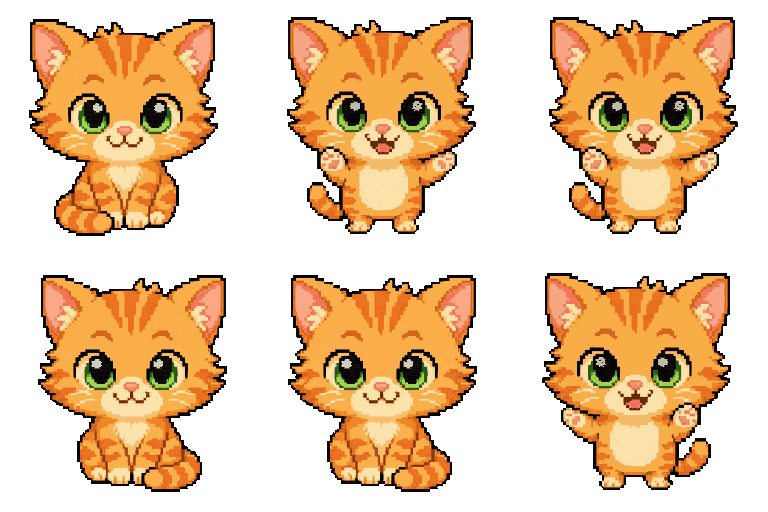
Get a pixel pet that lives in your dock.
Pomodoro timer, focus streaks, and a tiny friend generated from your photo. Native macOS, $2.99 one-time.