Tamagotchi for Mac: 7 Virtual Pets You Can Run on macOS in 2026
There's no official Tamagotchi for Mac, but there are seven virtual pet apps that scratch the same itch. Browser pets, pixel pets, and AI-generated companions ranked.
There is no official Tamagotchi for Mac. Bandai ships its modern Tamagotchi Uni as a hardware device that syncs to a phone, and its mobile app (My Tamagotchi Forever) is iOS and Android only. On macOS, the closest experience is Dockling, a pixel pet generated from your photo that lives in the dock or menu bar, $2.99 once. For pure browser nostalgia, try tamagotchi.com or fan sites like tamagotchi.party. Get Dockling →
People searching for a tamagotchi for mac usually want one of two things. Either they had a Bandai keychain in 1998 and want that exact dopamine drip back, or they want a small, low-stakes friend on their work computer that does not get in the way. We tested seven options across both categories on a fresh M-series MacBook Pro and ranked them by how close they actually feel to a real Tamagotchi.
Spoiler: nobody has shipped an official tamagotchi macos build, and at this point we doubt Bandai ever will. But the gap is covered, and some of the substitutes are arguably better suited to how a Mac actually gets used during a workday.
A quick Tamagotchi backstory
The original Tamagotchi launched in Japan in November 1996, designed by Aki Maita and produced by Bandai. The name is a portmanteau of tamago (egg) and uotchi (watch). The pitch was that kids, and quickly adults, could carry a small egg-shaped keychain with three buttons that hatched a pixel creature you had to feed, clean, and play with several times a day. Neglect it and it died. By 2010 Bandai had sold more than 80 million units, and the franchise has spawned anime, smartwatches, and most recently the Tamagotchi Uni, a Wi-Fi enabled successor that ships with a dedicated app store and avatar maker. Full history on Wikipedia if you want to fall down that rabbit hole.
The reason the format keeps coming back is that the underlying loop, a small visible creature whose state you are responsible for, is genuinely sticky. Read digital pet history and you will find the same care-loop showing up in Pou, Webkinz, Neopets, and even Apple Watch fitness rings (and a darker chapter in the BonziBuddy for Mac explainer). We did not invent it with Dockling. We just moved it to the menu bar.
Is there an official Tamagotchi app for Mac?
No. As of 2026, Bandai has not released a macOS app, a Mac App Store title, or a desktop client of any kind. My Tamagotchi Forever remains exclusive to iOS and Android. The Tamagotchi Uni device pairs over Bluetooth with the Tamagotchi App on phones, which means the only way to get an “official” Tamagotchi experience near your Mac is to keep the keychain on your desk and ignore your computer. Not exactly a workflow win.
That gap is what every virtual pet mac search result is trying to fill. Below is our honest read on what actually works and what doesn't.

Tamagotchi for Mac comparison (2026)
| Name | Type | Price | Lives on Mac | Care mechanic | Best for |
|---|---|---|---|---|---|
| Dockling | Native macOS .app | $2.99 once | Dock, menu bar, notch | Walks on focus, sleeps on break | People who want a tamagotchi-like pet during work |
| Tamagotchi.party | Browser, fan-made | Free | Browser tab | Feed, clean, play | Pure 1996 nostalgia |
| Hatchful (Shopify) | Note: logo tool, not a pet | Free | Browser tab | n/a | Skip if you wanted a pet |
| Tamagotchi Uni / Smart | Hardware, syncs to phone | $59.99 device | No (phone-paired) | Full classic loop | Collectors and purists |
| Pou | Browser / iOS | Free | Browser tab | Feed, mini-games, level up | Tamagotchi's spiritual successor |
| Webkinz Classic | Browser | Free w/ codes | Browser tab | House decoration, mini-games | Late-2000s nostalgia |
| Shimeji-ee | Native (Java) | Free | Desktop overlay | None, just chaos | Anime fans, see our Shimeji for Mac guide |
1. Dockling: the closest tamagotchi for Mac

Dockling is a native macOS app that turns a single photo into a 32x32 pixel pet. The pet walks across your dock, sleeps when you stop working, and shows up in your menu bar with a live focus countdown. We built it because we wanted a tamagotchi we could actually keep on a work computer without it getting in the way of a Zoom call.
What it borrows from Tamagotchi
- Visible creature with mood states. Idle, walking, sleeping, eating. Same vocabulary the original Bandai device used.
- Care-loop tied to action. Instead of feeding the pet with a button, you feed it by completing a focus session.
- Persistent identity. One pet per save. You name it, you keep it.
What it skips
- The pet does not die. Forgetting Dockling for a week does not punish you. We made that call deliberately because a work tool that adds guilt is a bad work tool.
- No mini-games. The whole point is to live next to your real work, not replace it.
Dockling is $2.99 once with no subscription, no account, and no cloud sync. You can also make your own pet from a photo if the bundled set does not include the species you want, and our AI pet from photo guide walks through how the generation pipeline actually works. For more on the broader category, see our roundup of the best desktop pet for Mac options, or jump straight to Mac pet landing.
2. Tamagotchi.party: the browser nostalgia route
Tamagotchi.party is a fan-made web app that recreates the original black-and-white feed-clean-play loop in a browser tab. There are multiple species, the death state is intact, and you can leave the tab pinned in Safari or Chrome and check it a few times a day. It is the most authentic online tamagotchi mac experience we could find.
The catch is that browser tabs get closed. If your daily ritual involves quitting Chrome at the end of the day, your pet's progress depends on local storage surviving cookie clears. Use a dedicated browser profile if you actually care.
3. Hatchful: skip it
Search results sometimes lump Hatchful in with virtual pets, but Hatchful by Shopify is a logo generator, not a pet game. Different product, same hatching metaphor. Mentioning it here only because we got asked. If you wanted a pet, scroll past.
4. Tamagotchi Smart and Uni: the actual hardware
The most authentic tamagotchi mac experience is, ironically, not on your Mac. The Tamagotchi Uni is a Wi-Fi enabled successor to the original device. It pairs with a phone app, has its own avatar maker, and gets new content packs over the air. It will sit happily next to your MacBook on a desk and do its thing.
If you want the real loop with the death state, the keychain ergonomics, and the official sprites, this is the only legit option. Roughly $59.99 on the official Bandai store.
5. Pou: the spiritual successor
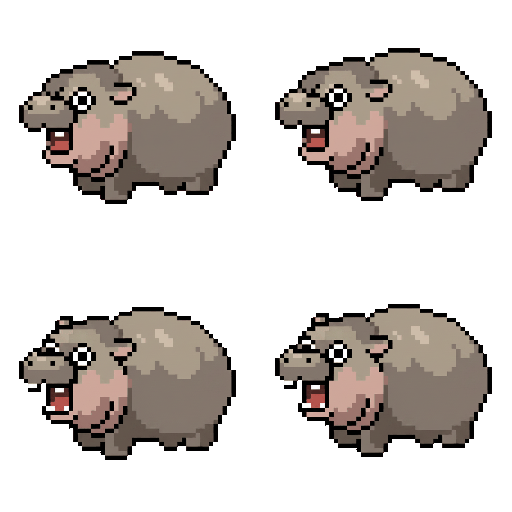
Pou hit iOS in 2012 and quickly took over middle-school recess everywhere. You feed an alien-shaped potato, play mini-games, and dress it in costumes. The browser version still works in Chrome on a Mac, and it is closer in spirit to a modern Tamagotchi than almost any official Bandai release. Free, ad-supported.
6. Webkinz Classic: late-2000s in a tab
Webkinz Classic is the browser revival of the original Webkinz plush-and-code system. You feed a virtual pet, decorate a house, and play mini-games. It is more elaborate than a Tamagotchi but scratches the same itch. It runs fine on Safari and Chrome on modern macOS. Free if you have an old code, low-cost otherwise.
7. Shimeji-ee: a different vibe entirely
Shimeji-ee is not a Tamagotchi. There is no care loop, no death state, and the pet does not need anything from you. What it does do is climb your windows, fall off shelves, and generally act like a very small gremlin on your screen. If you want chaos rather than care, see our full Shimeji for Mac guide for install steps and a list of the best Shimeji packs.
Why a Mac pet is different from a Tamagotchi
A Tamagotchi was designed for a device you carried in a pocket and pulled out a dozen times a day. A Mac is the opposite. It is almost always on, always in front of you, and the friction is the other direction: you need a creature that respects the work you're doing rather than demanding constant input.
That changes the design constraints. A pet on macOS should:
- Be visible at a glance without stealing focus.
- Have ambient state changes you can read in peripheral vision.
- Tie its care loop to something you were already going to do, like a focus session, instead of asking you to interrupt yourself.
- Never punish neglect. A work tool that resents you is a bad tool.
That is the difference between a literal digital pet for mac port of Tamagotchi and a desktop pet built for how you actually use a computer in 2026.
We took the three things Tamagotchi got right, a visible creature, ambient mood, and a care loop you have to come back to, and stapled them onto a Pomodoro timer. Focus session running? Pet is awake and walking. Break? Pet curls up and sleeps. Complete a session? You just “fed” it. The care loop runs itself as long as you do your work, which is almost the inverse of how the original keychain worked, but the dopamine hit is the same. If that sounds useful, the same engine also runs our best pomodoro timer for mac roundup.
Try the closest tamagotchi for Mac on your machine

If you came here looking for a real Tamagotchi for macOS and found out it does not exist, the next best thing is on your dock in about 90 seconds. Dockling is a one-time $2.99 purchase, no account required, no subscription, and the pet you get is yours forever.

Get Dockling for $2.99 → or make your own pet from a photo →
FAQ
Is there a Tamagotchi for Mac?
No, Bandai has not released an official Tamagotchi app or game for macOS. The Tamagotchi Uni hardware syncs to a phone, and the mobile app My Tamagotchi Forever is iOS and Android only. The closest native experience on Mac is Dockling, a pixel pet that lives in the dock or menu bar for $2.99 once.
Can you play Tamagotchi in a browser?
Yes. Fan-made sites like tamagotchi.party run a faithful browser recreation of the original feed-clean-play loop, and Pou and Webkinz Classic offer similar care mechanics in a browser tab. None of them require a download on your Mac.
What is the Mac version of Tamagotchi?
There is no official Mac version. The unofficial answer is Dockling, which uses the same care-loop psychology as the original Bandai device but ties it to your real workday rather than a standalone keychain. It also never punishes neglect, which is the one Tamagotchi behavior that does not belong on a work machine.
Is Tamagotchi.party safe?
Generally yes. It runs entirely in your browser sandbox, asks for no install, and stores progress in local storage. It is fan-made and not affiliated with Bandai. As with any unofficial site, do not enter personal information, and skip any prompts to install a browser extension.
What is the difference between a Tamagotchi and a desktop pet?
A Tamagotchi lives on a small dedicated screen, has a strict feed-clean-play loop, and dies if neglected. A desktop pet lives on top of your real screen alongside your work, usually has no death state, and is built for ambient coexistence rather than constant attention. Dockling sits in the middle: pixel-art aesthetic and visible mood states like a Tamagotchi, but the never-punishing behavior of a desktop pet.

Get a pixel pet that lives in your dock.
Pomodoro timer, focus streaks, and a tiny friend generated from your photo. Native macOS, $2.99 one-time.