Turn one photo into a living desktop pet.
Dockling is the AI pet generator that turns a photo of your dog, cat, or self into a 9-frame animated pixel pet for your Mac. Free preview. $2.99 unlocks the full pack and the app. No subscription.
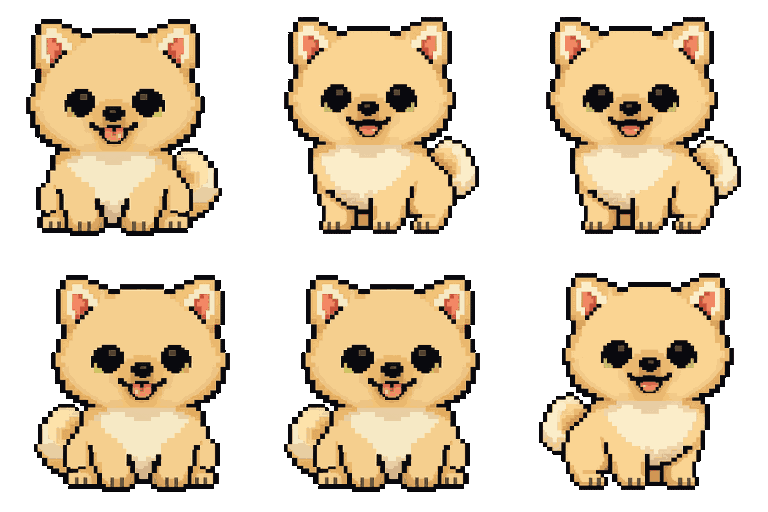
The first AI pet generator built end-to-end for Mac.
Most AI image tools can make a single pet portrait. Almost none can make 9 consistent frames of the same character animating. That is the hard problem Dockling solves.
9 frames, one character
Idle, walk, happy, eat, shower, smug, success, punch, fly, and sleep. Every frame is the same generated character so the animation reads as one pet, not a slideshow.
Built on Google Gemini 2.5 Flash Image with sprite-consistency prompting most consumer AI tools do not implement.
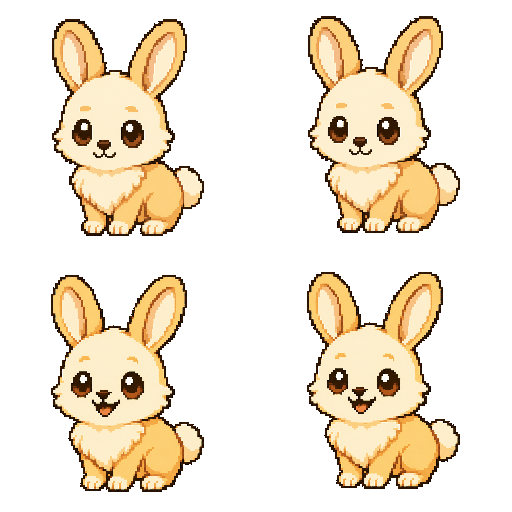
Free preview before you pay
Upload, wait 60 seconds, see your pet's idle frame. Validate that the AI got the breed, the color, and the vibes right before $2.99 unlocks the full pack and the app.
Most AI pet generators charge per generation. Dockling bundles unlimited regens into the $2.99 app purchase.
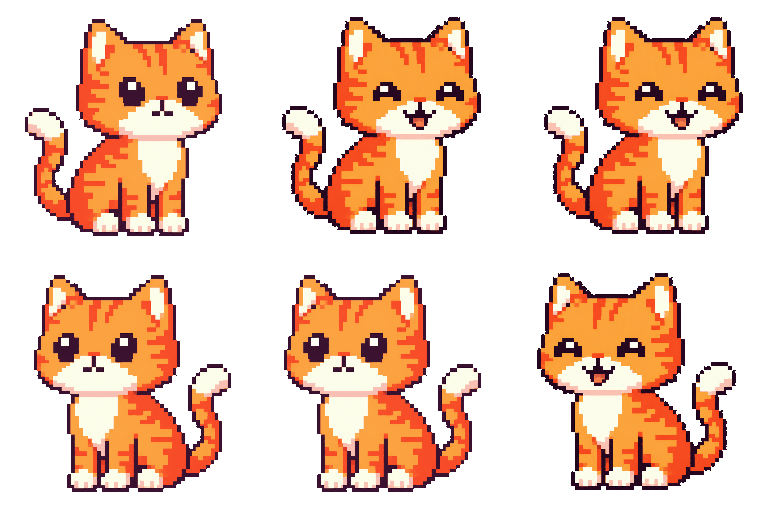
The pet lives somewhere
Every other AI pet generator outputs a portrait you save and forget. Dockling drops the pet straight into the Mac app where it walks on your dock, lives in your menu bar, or sits in your MacBook Pro notch.
Paired with a Pomodoro timer, so the pet walks while you focus and sleeps on your break.
How Dockling compares to other AI pet generation paths.
You can absolutely build something similar yourself. Here is the honest tradeoff.
Where they win: a single pet portrait generated from DALL-E or Midjourney is gorgeous, high resolution, and can be any style you want.
Where Dockling wins: one image is not a pet. A pet needs to walk, sleep, eat, and emote. Dockling generates 9 frames of the same character, which is the part one-shot tools fail at.
Where Stable Diffusion DIY wins: you get total control, you can fine-tune on your specific pet, and the model is free.
Where Dockling wins: setting up a 9-frame consistent sprite pipeline on your own machine is a weekend project that probably ends in disappointment. Dockling is 60 seconds and $2.99 once.
Where they win: apps that turn your pet into a single “royal portrait” or anime style are fun for a Twitter avatar.
Where Dockling wins: the output of those apps lives in your camera roll. The output of Dockling lives on your Mac and is part of your daily focus routine. Very different value.
The generated pet, on a real Mac.
Every pet shown on this site was generated from a real photo by the same pipeline you can use right now.
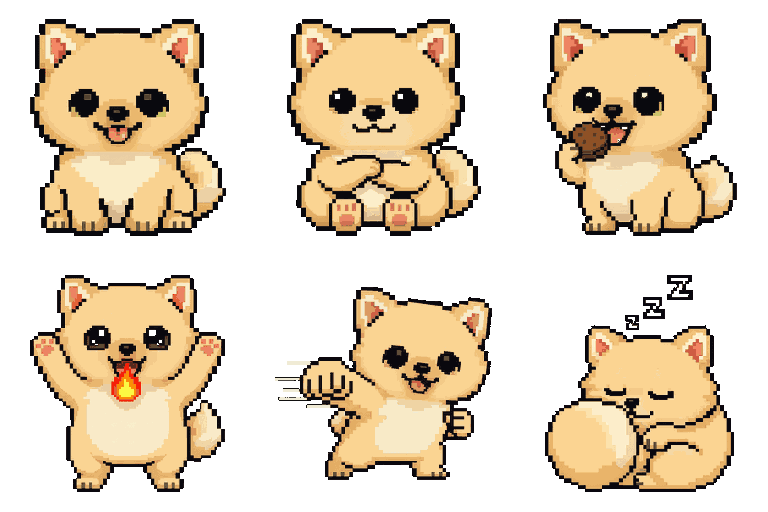
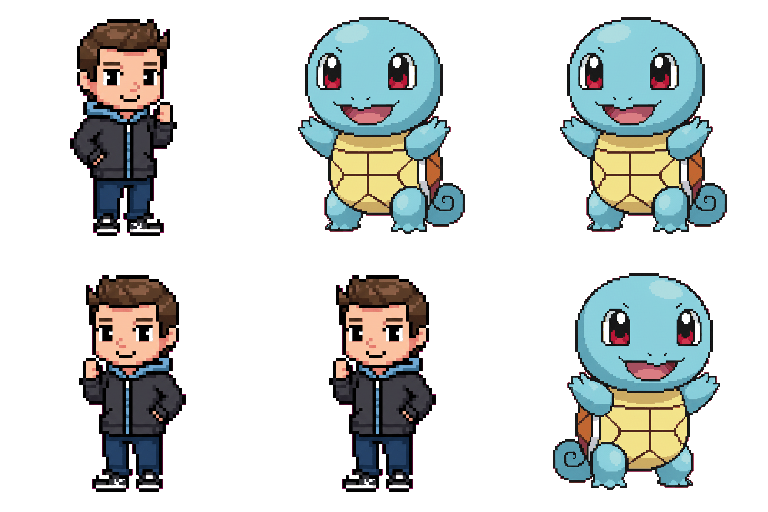
Why most AI pet generators stop at the portrait.
The core technical problem with an AI pet generator is sprite consistency. It is comparatively easy to ask a model for a single cute pixel-art version of your dog. It is much harder to ask for nine versions of the same dog, with the same fur color, the same ear shape, the same proportions, doing nine different actions, in a way that reads as a single character animating rather than a flipbook of cousins.
Until recently, that consistency problem was unsolved at the consumer level. You needed Stable Diffusion fine-tuning, custom LoRAs, and a weekend of prompt engineering. That is why every consumer AI pet app you have ever seen ends at the portrait. The animation step is too hard to ship.
The model that broke this open is Google Gemini 2.5 Flash Image, released in 2026. It can hold a generated character in working memory across multiple consecutive generations, which is the missing primitive every AI pet generator needed. Dockling uses Gemini for exactly this one purpose, with prompting tuned for 32x32 pixel-art sprite consistency.
What “AI pet” means at this point
Every pet on the Dockling site, every pet in the pack store, every pet the app ships with, was generated by this same pipeline. There is no hand-drawn cheating. The same 60-second flow you get as a customer is the flow that built our entire pack library. When the AI gets the breed right, the result is a real animation of a real animal that happens to live on a Mac.
The piece most people do not predict is how attached you get. A pixel-art version of your specific dog, walking across the menu bar of the computer you stare at all day, hits differently than a generic mascot. It is the same parasocial pull that makes a phone wallpaper of your kid mean more than the stock one. We did not predict this in beta. Customers tell us about it constantly.
- Pet From Photo AI: how the pipeline actually works : the deep technical writeup on the 9-frame generation flow.
- Desktop pets for Mac: a complete guide : where AI-generated pets sit in the broader desktop pet landscape.
- Cat on screen Mac: the field guide : from Neko (1989) to modern AI pets, with the honest pick.
- BonziBuddy for Mac: the honest answer : the lineage modern AI pets build on, plus the spyware history to learn from.
AI pet generator questions, answered.
What is an AI pet generator?
An AI pet generator turns a single photo into an animated digital pet. Dockling's AI pet generator takes one photo of your dog, cat, partner, or yourself and generates a 9-frame pixel-art sprite sheet using Google Gemini. The pet then lives on your Mac dock, menu bar, or notch.
Can I generate an AI pet from a photo for free?
Yes. The Dockling AI pet generator returns a free preview frame from any uploaded photo. The full 9-frame animation pack and the Mac app are unlocked with the $2.99 one-time purchase. There is no subscription.
Which AI model does the pet generator use?
Dockling generates pets using Google Gemini 2.5 Flash Image. It is currently the best consumer AI model for pixel-art sprite consistency across multiple animation frames. DALL-E, Stable Diffusion, and the open-source models struggle with the per-frame character consistency required for a walk cycle.
Does the AI pet generator work on any photo?
Best results come from a clear, front-facing photo with a single subject and good lighting. Pets, faces, even illustrations all work. Highly cropped, blurry, or multi-subject photos produce weaker sprites because the AI has fewer features to lock onto.
Where is the AI pet generation actually happening?
Server-side, not on your Mac. The Dockling desktop app contains no AI code and never calls Gemini. Generation happens on the dockling.space server, which returns a .zip of 9 PNG frames that the Mac app reads as a static sprite sheet. Your Mac stays quiet.
Is the generated AI pet really mine to keep?
Yes. The .zip pack lives on your machine after generation and continues to work even without internet. You can re-import it on a new Mac at any time. We do not store the source photo after generation.
Can I gift an AI pet to someone else?
Yes. Visit dockling.space/gift, upload a photo of the giftee's pet or the giftee themselves, and we send them a redemption email with their personalized pet generated from your photo. Useful for partners, parents, and remote-team gifts.
Background on AI pet generation.
External reading on the models, the pixel-art tradition, and the competitor stacks Dockling benchmarks against.
- Google Gemini (DeepMind): the model family Dockling uses for sprite-consistent pet generation.
- Sprite graphics (Wikipedia): the technical primitive every pet animation is built on, from arcade games to modern desktop pets.
- Pixel art (Wikipedia): the visual style chosen because AI generation is unusually good at low-resolution forgiving forms.
- Stability AI: the open-source alternative for DIY sprite generation, with more setup and worse multi-frame consistency.
- Replicate: hosted model marketplace where you can experiment with competing pet-generation pipelines.
Generate your pet in 60 seconds.
Upload one photo, see the free preview, $2.99 unlocks the full 9-frame pack and the Mac app. No subscription, no account.