The mac pet that lives on your dock, not your wallpaper.
Dockling is a pixel pet for Mac that walks while you focus and curls up to sleep on your break. Pick a pet from the store or generate one from a photo. $2.99 once, no subscription, all data local.
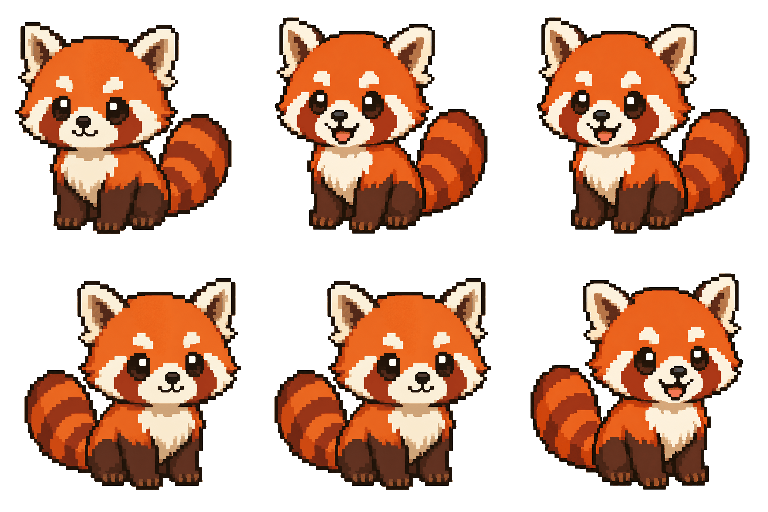
The best mac pet does three things well.
A good pet on Mac should stay out of your way, run forever on battery, and give you a small reason to look up every 25 minutes. Here is how Dockling earns its place.

Three homes, one pet
Dock, menu bar, or right inside the MacBook Pro notch. Pick the placement that fits your workflow and the pet moves there with one click.
A mac dock pet stays present without taking screen real estate. A notch pet uses space that was previously dead.
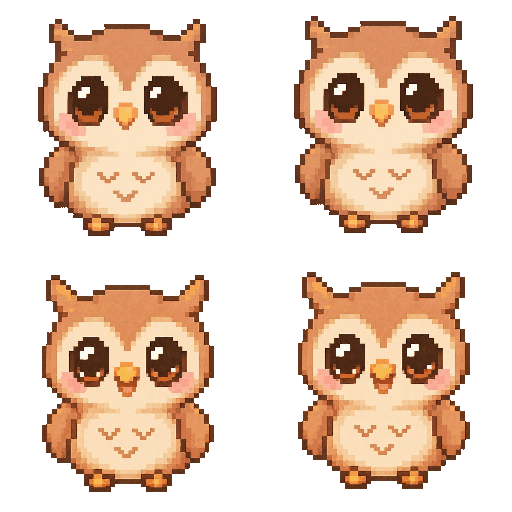
Pet a pixel of yourself
Upload a photo and Dockling generates a 9-frame pixel pet of your dog, your cat, or you. The preview is free, the generation runs server-side so your Mac stays quiet.
Already have a favorite? The pack store ships with 25 hand-drawn pets including a red panda, an octopus, an owl, and a highland cow.

Lives next to your work, not on top of it
Unlike a classic desktop pet, Dockling never walks over your windows or grabs your cursor. It is glanceable, not attention-seeking, and disappears entirely in Focus mode.
Native menu bar timer optional. Streak tracking optional. The pet is the only required part.
How Dockling compares to other mac pet apps.
We are not the only option, and we are not the right one for everyone. Here is an honest read on where the alternatives win.
Where Shimeji wins: free, the sprite library is enormous, and there is a 20-year fan community of custom characters.
Where Dockling wins: Shimeji needs Java, has not been properly updated for Apple Silicon, and lets pets crawl all over your windows. Dockling is native, signed, and stays in the dock or menu bar where it belongs.
Where Desktop Goose wins: the chaos is the feature. If you want a pet that steals your cursor and drops fake error dialogs on your screen for laughs, this is the one.
Where Dockling wins: Desktop Goose is a joke app, not a daily companion. Dockling is built to sit next to real work without breaking it.
Where Tamagotchi apps win: the original feed / clean / play loop is genuinely fun for nostalgia.
Where Dockling wins: Tamagotchi apps demand attention with hunger meters and beeping. Dockling is the opposite. The pet is happy by default and only reacts to your Pomodoro session, so it never interrupts your work.
A mac pet that fits inside the macOS chrome.
Dockling treats the dock, menu bar, and notch as native homes for a pet, not as places to overlay one. The pet renders pixel-perfect at every Retina scale.

Why people want a pet on their Mac.
For a piece of software that has technically existed since the 90s, the mac pet is having a quiet renaissance. Half of it is nostalgia for BonziBuddy, Clippy, and the era when computers still felt friendly. The other half is something more recent. A lot of us spend ten hours a day staring at the same dark interface and we miss having anything alive in the corner of the screen.
The problem with most existing mac pet apps is that they were built before the modern Mac existed. They assume you have a desktop full of windows you do not mind being walked on, a fast fan to compensate for inefficient rendering, and a tolerance for Java permissions dialogs every time you reboot. They feel like software from a different era because they are.
Dockling was designed for the way people actually use macOS in 2026. Most of us live in two or three full-screen Spaces, our dock is hidden, and the only persistent UI is the menu bar and the notch. So those are the three places the pet lives. It does not roam your desktop. It does not block your tabs. It does not ask for accessibility permissions to puppeteer your cursor. It just walks, idles, and curls up.
What changes when you have a pet on your Mac
The honest answer is: not much, and that is the point. The pet is ambient. You stop noticing it for an hour and then catch yourself smiling when you see the octopus do its little wiggle on the way past the volume icon. It is the same psychological trick as a fish tank in an office or a lava lamp on a desk. The motion signals that something is alive, which signals that the room is not just a screen, which signals that you are a person who is allowed to take breaks.
The unexpected effect, the one that surprised us in beta testing, is that a visible pet doing visible state changes makes the Pomodoro technique stickier. When your red panda is asleep, you feel an irrational reluctance to wake it up by ending your break early. When the owl is walking, you feel an equally irrational reluctance to break focus. Neither response is rational. Both are effective.
Pixel pet for Mac, not a 3D character
We picked 32x32 pixel art on purpose. A higher fidelity render would have to compete with everything else on your screen for attention, and it would lose. Pixel art reads at any size, runs on a single CPU core, and looks correct against the macOS dark interface without any tuning. It also ages better. A 3D character from 2019 looks like a 3D character from 2019. A pixel pet looks like a pixel pet forever.
The other reason is that pixel art photo-to-sprite generation is the rare case where AI output is actually good. A photo of your dog rendered as 32x32 pixels is forgiving in exactly the ways that high-fidelity AI generation is not. Your dog does not need correct paw anatomy at this resolution. It needs vibes, and vibes the model can do.
- The best desktop pet for Mac in 2026 — a full ranked list with Shimeji, Bongo Cat, and Dockling side by side.
- Shimeji for Mac: does it still work in 2026? — what happens when you try to install Shimeji-ee on Apple Silicon today.
- Tamagotchi for Mac: every option, ranked — nostalgia apps, modern reinterpretations, and what we shipped instead.
- The best Pomodoro timer for Mac — how the built-in timer compares to Be Focused, Flow, and Session.
Mac pet questions, answered.
Is there a free mac pet app?
Shimeji-ee is the closest free option, but it has not been updated for Apple Silicon and depends on a Java runtime that most modern Macs no longer ship with. Most polished mac pet apps are paid because the sprite work and the native macOS integration take real engineering. Dockling is $2.99 once, no subscription, no account.
Does it work on Apple Silicon and M4?
Yes. Dockling is a native macOS app, signed and notarized by Apple. It runs natively on M1, M2, M3, and M4 chips and on Intel Macs going back to macOS 12 Monterey.
Can I use my own photo to make a pet?
Yes. Upload any photo on the Dockling site for a free 9-frame preview. After purchase, you can generate a full custom pet of your dog, your cat, or yourself, and it drops into the app as a .zip you can re-import anywhere.
Will it slow down my Mac?
No. Dockling uses single-digit CPU at idle and roughly 30 MB of memory. The sprites are 32x32 pixels and the animation loop is intentionally cheap. It uses less than a single Slack tab.
Does the pet appear during meetings or screen shares?
Only if you want it to. Focus mode hides the pet during deep work. Parked mode tucks it into the menu bar so it does not show up when you share your screen on Zoom or Meet.
What is the difference between a dock pet and a desktop pet?
Classic desktop pets like Shimeji roam your wallpaper and walk across your windows. A mac dock pet lives inside the dock, menu bar, or notch instead, so it stays present without blocking anything. Dockling supports all three placements.
Is Dockling a one-time purchase or a subscription?
One-time. $2.99 once, no subscription, no account required. Future updates are included for free.
Further reading on the desktop pet genre.
External background on the lineage Dockling builds on, and the tools we benchmark ourselves against.
- Neko (Wikipedia): Masayuki Koba's 1989 desktop cat, the origin of every cat-on-screen app since.
- Shimeji (Wikipedia): the Japanese desktop-mascot tradition and the Shimeji-ee community port.
- BonziBuddy (Wikipedia): the Windows-only purple gorilla that taught the genre what not to do, plus the FTC settlement that ended it.
- Desktop Goose (itch.io): Sam Chiet's 2020 chaos pet, official download page.
- Pixel art (Wikipedia): the visual language Dockling uses and why it reads correctly next to macOS chrome.
Get a pet on your Mac in 60 seconds.
Download the .dmg, drag it to Applications, pick a pet. That is the entire install. $2.99 once, no subscription, no account.