Pet From Photo AI: Turn Any Photo Into a Pixel Pet (2026)
How AI turns one photo of your dog, cat, or partner into a 9-frame animated pixel pet that lives on your Mac. The tools, the tradeoffs, and the only end-to-end consumer flow that actually ships.
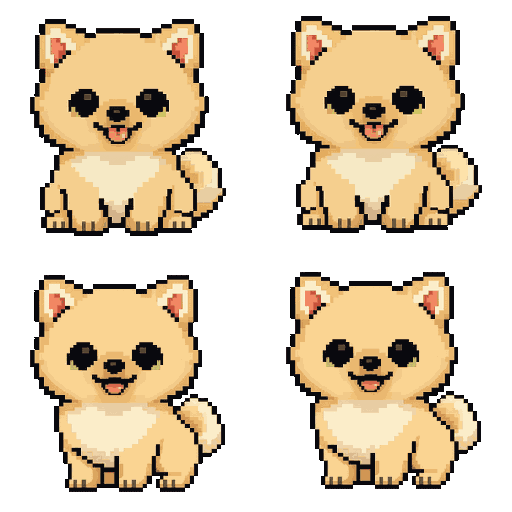
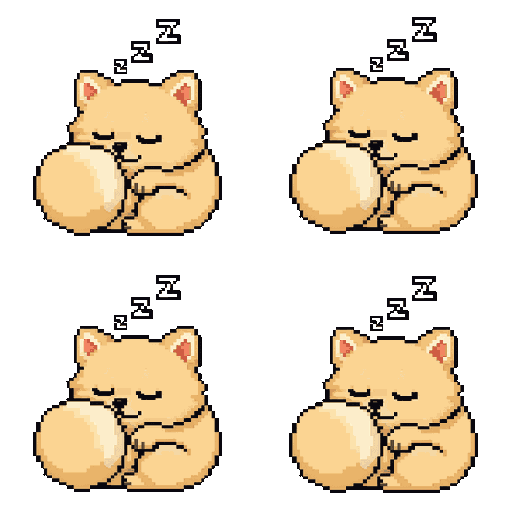
The fastest way to turn a photo into a pet that lives on your screen is Dockling. Upload a photo of your dog, cat, partner, or yourself, get back a 9-frame pixel-art animation pack generated by Gemini 2.5 Flash Image, drop it into the Mac app, and your pet walks across your dock the same afternoon. $2.99 once, no subscription, no on-device AI dependency. Generate your pet now →
The phrase pet from photo AI covers two very different wishes. One is a generated portrait, a static image of your dog wearing a crown or your cat in a Renaissance painting, which a thousand Etsy stores and a hundred apps will sell you. The other, much weirder one, is a pet that moves. A version of your actual pet that walks, sleeps, and exists on your screen the way a Tamagotchi did in 1996. That second wish is the one this post is about, because it is genuinely new and most people do not realize it is possible yet.
We have spent the last year shipping one of the very few products that does this end to end, so the comparisons below are honest about where Dockling wins, where it loses, and which other tools you should look at if your needs are slightly different. The TL;DR is that the generative AI revolution finally made personalized animated sprites feasible, and there is exactly one consumer-ready Mac app for it as of 2026.
What people actually use this for
Three reasons keep coming up in our customer emails:
- Their actual pet, on their actual screen. A frame-by-frame pixel version of their golden retriever or their cat walks across the dock while they work. People who have lost a pet sometimes upload the last photo they have. We were not expecting that and we did not design for it, but it has become the most emotionally loaded use case in our inbox.
- A partner, a kid, or themselves as a sprite. Couples buy two pets and run each other's as their pet. A surprising number of people put their own face on a sprite and give it to a friend. The novelty pays for itself the first time you see your wife as a 32-pixel character walking across your MacBook's notch.
- A gift. The price point makes it a perfect stocking stuffer. The customer buys an avatar, uploads a photo of the recipient's pet, and gives them a zip plus the app. We run a real spike every December.
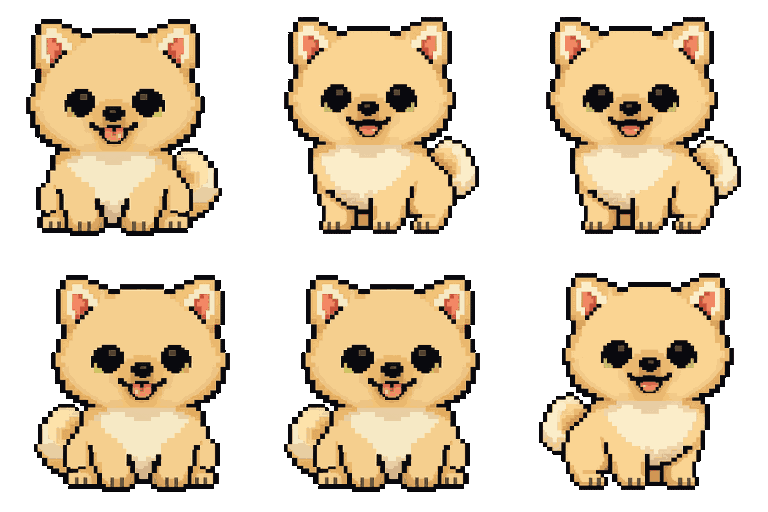
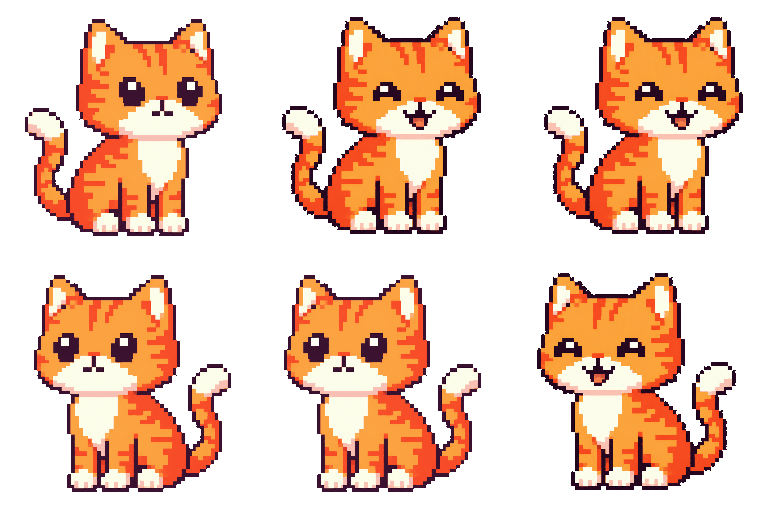
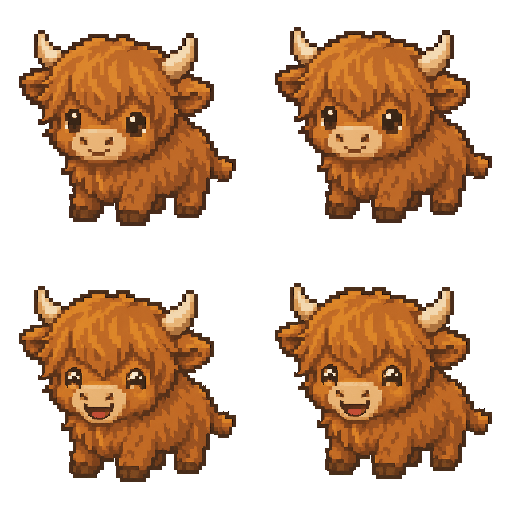
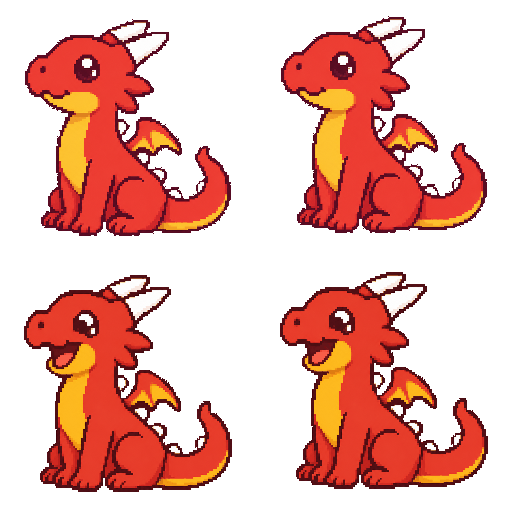
How AI turns one photo into nine animation frames
This is the hard part, and most of the products in the category get it wrong. Generating a single beautiful image of your pet is easy in 2026. Generating nine images that look like the same pet across nine different poses is the entire engineering problem. If the cat looks slightly different from frame to frame, the resulting walk cycle looks like a bag of cats. If the lighting shifts or the color palette drifts, your dock has a flicker.
The technical name for this is asset consistency, and until 2025 it was effectively unsolved for indie developers. Stable Diffusion / SDXL and DALL-E 3 could give you stunning single images but no way to guarantee that the second image kept the same character identity. ControlNet, IP-Adapter, and DreamBooth fine-tunes got close at the cost of taking 20 minutes per pet, which is too long for a consumer flow.
Three things changed in late 2025 and early 2026:
- Gemini 2.5 Flash Image shipped multi-image conditioning with a reference photo, which holds character identity across a batch of outputs well enough for pixel art. This is what Dockling uses for the actual generation step. See the official Gemini announcement for the capability list.
- Native pixel-art style instructions got good enough that you no longer need a custom LoRA per artistic style. The model understands “32-pixel sprite with limited palette, transparent background” as a first-class request.
- Latency dropped enough that a 9-frame pack finishes in under two minutes server-side. That is the difference between “wait in line for your art” and “refresh and your pet is ready.”
SDXL, Stable Diffusion 3, and Flux can technically do this, but the identity drift on a 9-frame pack with no fine-tuning is too high for consumer use. We tested every plausible stack before we shipped. Gemini was the only one where the cat in frame 1 was recognizable as the cat in frame 9.
The Mac app never calls Gemini directly. All generation happens on the website, server-side. This keeps the Mac app under 30MB, means you can preview your pet before paying, and means your photo never sits inside a desktop binary you have to trust. The pet you get back is just nine PNGs in a zip. Drop it in the Characters folder and you own it forever.
Pet-from-photo AI tools compared
| Tool | Output | Animation | Lives on your Mac | Price |
|---|---|---|---|---|
| Dockling | 9-frame pixel art pack | Yes, walk + idle + sleep | Yes, native macOS app | $2.99 once, includes app |
| Midjourney | Single static image | No | No | $10/mo subscription |
| Replicate (SDXL + custom pipeline) | Whatever you build | If you wire it up | No, you ship the app | Pay per generation, dev effort |
| DALL-E 3 via ChatGPT | Single static image | No | No | $20/mo for Plus |
| Etsy pixel-art commission | Hand-drawn pixel portrait | Rare, costs extra | No, just files | $15–$60 per piece |
| Custom Stable Diffusion stack | Whatever you train | If you wire it up | If you build the app | Hours of your weekend |
Dockling is the only entry on this list where the output is a ready-to-use animated sprite pack and a Mac app to run it in. The others give you images. The work of turning images into a pet on your desktop is left to you.
The Dockling flow, end to end
The product is deliberately one-shot. There is no account, no gallery, no “projects.” You do this once per pet:
- Go to dockling.space/store/custom and upload any photo. A face, a dog, a cat, a horse, an illustration, a stuffed animal. The model handles all of them.
- Within about 30 seconds you see a free preview frame in pixel art style. This is the “is this my pet” sanity check before any money changes hands.
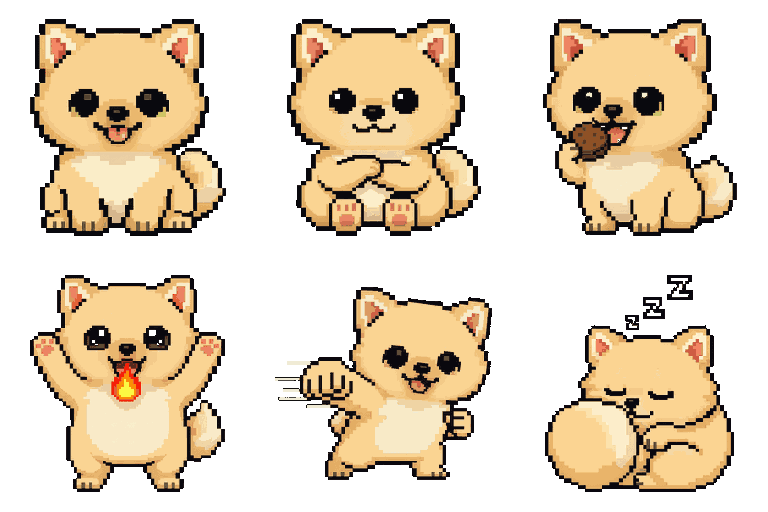
- If it looks right, $2.99 unlocks the full 9-frame pack and the Mac app download. The pack includes idle, walk, sleep, eat, shower, fly, punch, success, and smug.
- The app prompts you to drop the zip into the Characters folder on first launch. Your pet is on your dock about three seconds later.
- The pet walks during focus sessions, curls up on breaks, and lives in either your dock, your menu bar, or inside the MacBook Pro notch. You pick which surface.
What makes a good source photo
After processing thousands of generations, the patterns are boringly consistent. Photos that work:
- Subject fills most of the frame. A wide shot where your dog is a speck in a field gives the model nothing to latch onto. Crop in.
- Side or three-quarter angle. Walk cycles generate from a side profile, so a photo facing roughly that direction translates best.
- Even lighting. Harsh shadows on the face make the pixel translation pick up the shadow as a stripe. Window light or overcast outdoor light is ideal.
- Distinct silhouette. A floof of fur on a white background reads cleanly. A dark cat on a dark couch confuses everything downstream.
Photos that struggle:
- Selfies taken from above with extreme foreshortening.
- Group photos with multiple subjects.
- Heavy filters or beautification, which the model will faithfully transfer to the sprite.
- Black animals against black backgrounds.
Other AI pet styles you might want
Pixel art is the Dockling house style because it is the only artistic format that looks at home on a desktop surface. A photoreal sprite of your dog walking across the dock would feel uncanny, the way a high-resolution emoji feels wrong next to flat-color UI. Pixel art reads as an icon, which is the right register for the dock.
That said, the broader category of pet-from-photo AI includes plenty of other styles you might want for non-desktop purposes: an oil-painting portrait for the wall, a Studio Ghibli pass for a screensaver, a vector illustration for a pet's social media bio. Midjourney, DALL-E 3 via ChatGPT, and the dozen Etsy stores running custom pipelines all do those things well. Just do not expect any of them to give you an animated sprite that lives on your desktop.
Why Mac, and only Mac
We get this question often. The Mac is the only consumer operating system where the dock, the menu bar, and the notch are all native, first-class surfaces a developer can write into without fighting the OS. On Windows the closest analog is the system tray, which is too small for a sprite to be meaningful, and floating-window pets (Shimeji-style) feel intrusive on a taskbar-oriented workflow. Read macbook notch apps for the long version. There is a Windows port of Dockling sitting on disk that we have not shipped, for unrelated economic reasons.
What does running this actually cost?
We get asked this a lot, often by other developers. A 9-frame Gemini 2.5 Flash Image pack costs us roughly 5 to 8 cents in API fees per generation, depending on input photo size and number of retries. The pricing is structured so the $2.99 covers the generation, the app, and a comfortable margin for support and future updates. Regen packs are $0.99 if you want to redo your pet with a different photo. We do not run an unlimited subscription because we do not need to, and you do not need to be paying $10 a month for a pet sprite.
If you want a stock pet instead
We ship 25 pre-built pet packs in the app: cats, dogs, dragons, red pandas, owls, octopi, and so on. You can use those without ever uploading a photo. Some people prefer the stock characters and that is fine. The custom flow is for the moment when you realize you can make your own. See desktop pet for Mac for the full lineup, or best Pomodoro timer for Mac for the focus side of the app.
FAQ
How does AI turn a photo into a pet?
Modern image models (Gemini 2.5 Flash Image, in Dockling's case) accept a reference photo as conditioning input and a text prompt describing the target style. The model generates a batch of outputs that preserve the identity of the subject across different poses, which becomes your animation pack. Dockling wraps that into a one-shot consumer flow with a Mac app to play the sprites back.
Can I turn my dog into a pixel pet on my Mac?
Yes. Upload a photo to dockling.space/store/custom, preview the result for free, and pay $2.99 to download the full 9-frame pack plus the app. Your dog walks on the dock about a minute later.
Does it work for cats?
Cats are the second-largest category after dogs. The model is excellent at fur patterns and silhouettes, including unusual breeds (Sphynx, Scottish Fold, Maine Coon). Side-angle photos work best.
Can I generate myself as a pet?
Yes, and a surprising number of people do. Upload a clear head-and-shoulders photo. The result is a chibi-style pixel version of you, with idle, walk, and sleep animations. Common gift between partners and roommates.
How is this different from DALL-E or Midjourney?
DALL-E and Midjourney give you a single static image. Dockling gives you a 9-frame animation pack with consistent character identity across frames, plus a Mac app to play those frames as a living desktop pet. Different category of product.
What if the pet does not look right?
Regen packs are $0.99 with a different photo. Tips for a better source photo are above: tight crop, side angle, even lighting, distinct silhouette.
Where can I generate one?
dockling.space/store/custom. Free preview in 30 seconds, full pack and app for $2.99.
Sources and further reading
- Introducing Gemini (Google blog) : official announcement of the model family Dockling uses for generation.
- Gemini at Google DeepMind : capability documentation including multi-image conditioning.
- OpenAI image generation guide (DALL-E) : the comparison-class API for single-image generation.
- Stability AI : makers of Stable Diffusion / SDXL, the open-weights alternative we benchmarked against.
- Replicate : hosted inference platform for SDXL, Flux, and other consistency-adjacent pipelines.
- Sprite (computer graphics) (Wikipedia) : background on the 2D animation primitive the 9-frame pack maps to.
- Pixel art (Wikipedia) : why a constrained palette and grid still reads on a Retina display.
Get a pixel pet that lives in your dock.
Pomodoro timer, focus streaks, and a tiny friend generated from your photo. Native macOS, $2.99 one-time.